Introduction: The Golden Age of the “Augmented” Blogger
If you had started a blog in 2015, your roadmap would have looked something like this: Spend three weeks agonizing over a niche. Spend two days fighting with WordPress themes. Spend five hours writing a single article. Repeat until burnout sets in six months later.
Welcome to 2026. The barrier to entry has not just been lowered; it has been obliterated.
We are currently living through the single greatest shift in digital publishing history. AI blogging—the practice of using artificial intelligence to strategize, draft, optimize, and manage a blog—has democratized online influence. What used to take a team of three (a writer, an SEO specialist, and a graphic designer), you can now do by yourself, in your pajamas, before lunch.
But let’s get one thing clear immediately: AI blogging is not about “spamming.”
If your plan is to click a button, generate 5,000 low-quality articles, and hope to get rich, you are already too late. Search engines like Google and Bing have evolved. They can smell lazy, robotic content from a mile away.
The successful bloggers of today are Architects, not bricklayers. They use AI to handle the heavy lifting—the research, the outlining, the technical SEO, the image generation—while they focus on the strategy, the personal story, and the brand connection.
In this massive, step-by-step guide, we are going to build a blog together. We will move from “I have no idea what to write about” to “I have a fully functioning, SEO-optimized, AI-powered media property.”
You are about to learn how to harness the most powerful technology of our generation to build a digital asset that works for you. Let’s begin.
Chapter 1: The Philosophy of AI Blogging
Before we buy a domain name, we must understand the “New Rules of the Road.” The landscape of AI blogging is littered with failed sites because the owners didn’t understand how to use the tools.
1.1 The “Centaur” Approach
Chess grandmaster Garry Kasparov introduced the concept of the “Centaur”—a human and an AI working together. In chess, a Centaur team (Human + AI) beats a solo AI and beats a solo human.
In blogging, the math is the same.
- Solo Human: Writes with soul, but is slow and lacks data processing power.
- Solo AI: Fast and data-rich, but hallucinates facts, lacks empathy, and sounds generic.
- AI + Human (You): The sweet spot. You use AI for speed and structure; you provide the “Voice” and “Experience.”
1.2 The “Helpful Content” Imperative
Google’s algorithms (specifically the Helpful Content System, now fully integrated into the core core) prioritize satisfaction.
When you use AI blogging tools, your prompt shouldn’t be “Write an article about coffee.”
It should be: “Help me write a guide that solves the specific frustration a beginner feels when their espresso tastes sour.”
AI is the engine; you are the steering wheel.
Chapter 2: Niche Discovery and Validation with AI
The number one reason new blogs fail is not bad writing; it’s bad niche selection. Beginners often pick topics that are too broad (“Travel”) or too obscure (“Underwater Basket Weaving in the 1890s”).
AI removes the guesswork from this process.
2.1 Brainstorming with AI
Forget staring at a blank wall. Treat your AI (ChatGPT, Claude, or Gemini) as a business consultant.
The “Ikigai” Prompt:
“I want to start a blog. I have an interest in [Interest 1, e.g., Hiking] and [Interest 2, e.g., Budget Frugality].Please suggest 10 specific blog niches that combine these two interests.For each niche, estimate the:
- Monetization potential (Low/Med/High)
- Competitive difficulty.
- Target audience profile.”
Example Result:
Instead of a generic “Hiking Blog,” the AI might suggest: “Ultralight Hiking on a Student Budget”—a specific, highly targetable niche.
2.2 Validating the Idea (Data Analysis)
Once you have an idea, you need to know if people are actually searching for it.
The “Trend Hunter” Workflow:
- Open Google Trends.
- Use an AI tool with web-browsing capabilities (like ChatGPT Plus or Perplexity).
- Prompt: “Analyze the search trends for ‘Ultralight Hiking’ over the last 5 years. Is the trend rising, flat, or declining? Identify any seasonal spikes.”
2.3 Creating Your “Reader Persona”
In traditional marketing, creating a user persona takes weeks of surveys. In AI blogging, it takes 30 seconds.
Prompt:
“Create a detailed User Persona for a blog about ‘Budget Ultralight Hiking.’Give him a name.List his top 5 pain points.List the 3 things he is most likely to buy online.List the slang or vocabulary he uses.”
Why this matters: You will use this “Persona” in every single prompt you write later. It ensures your AI content sounds like it’s speaking to a friend, not a robot.
Chapter 3: Setting Up Your AI-Ready Infrastructure
You cannot build a skyscraper on a swamp. You need a solid technical foundation. While you can use “AI Website Builders” (like Wix ADI or 10Web), for a serious blog, we still recommend WordPress.org. It offers the control you need for advanced AI blogging plugins.
3.1 Domain Name Generation
Struggling to name your blog? Let AI do it.
Prompt:
“I need a domain name for my ‘Budget Ultralight Hiking’ blog.Criteria:
- Max 2 words.
- Must be catchy and memorable.
- Available extensions: .com preferred.Generate 20 ideas. Be creative—use alliteration or puns.”
Ideas: HikeLightly.com, ThriftyTrek.com, GramWeenie.com.
3.2 Hosting and CMS
Choose a host that creates a fast WordPress environment (SiteGround, Bluehost, or WP Engine). Speed is a ranking factor, and AI content tends to be text-heavy; you need a fast server to deliver it.
3.3 Essential AI Plugins
To turn a standard WordPress site into an AI blogging powerhouse, install these tools:
- RankMath or Yoast SEO: For general SEO management. RankMath has excellent AI integration.
- Link Whisper: Uses AI to suggest internal links between your posts (critical for SEO).
- Akismet: Uses AI to fight spam comments.
- ShortPixel: Uses AI to compress images automatically.
- WordLift (Advanced): Uses AI to build a Knowledge Graph and Schema markup for your site.
Chapter 4: The Strategy: Topical Authority Maps
Here is where 90% of beginners fail. They write random posts. “Day 1: My Hiking Boots. Day 2: A pretty mountain I saw.”
To rank in 2026, you need Topical Authority. You must convince Google you are the expert on the entire subject. AI is the ultimate tool for mapping this out.
4.1 Building the Map
We are going to generate a content plan for your first 50 articles in 5 minutes.
The “Topical Map” Prompt:
“Act as an SEO expert. I am building a topical authority map for the niche ‘Budget Ultralight Hiking’.Break this niche down into 5 main Categories (Pillars).Under each Pillar, list 10 article titles that cover distinct keywords.Organize them in a logical order from ‘Beginner’ to ‘Advanced’.”
The Output:
- Pillar 1: Gear. (Articles: “Best Budget Tents,” “DIY Alcohol Stoves,” “Cheap vs. Expensive Backpacks”)
- Pillar 2: Food. (Articles: “Calorie Dense Cheap Snacks,” “Dehydrating Meals at Home”)
- Pillar 3: Skills. (Articles: “How to Pack a Frameless Pack,” “Campsite Selection”)
4.2 Keyword Research 2.0
Now you have topics, but you need data.
Take your list of 50 titles. Run them through a traditional SEO tool (Ahrefs, Semrush, or Ubersuggest) or use an AI tool like Keyword Insights.
What to look for:
- Low Difficulty (KD): As a new blog, target keywords where the big sites (REI, Outside Magazine) aren’t competing.
- High Intent: Look for “Best…” or “How to…” rather than just broad terms.
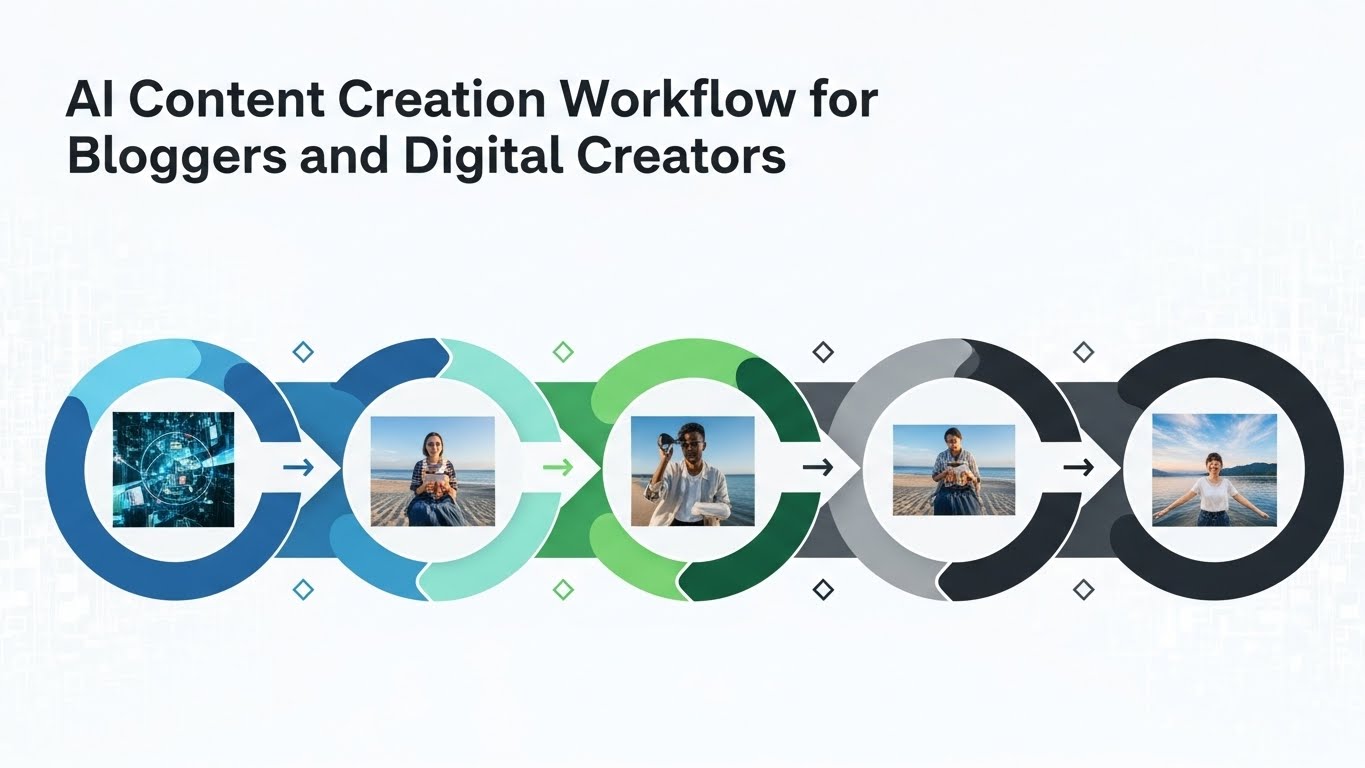
Chapter 5: The “Cyborg” Content Creation Workflow
This is the core of AI blogging. We are going to write a high-quality, 2,000-word article. We will not just say “Write article.” We will use a multi-step prompt chain.
Step 1: The Outline (The Skeleton)
Never let AI write without a map.
Prompt:
“I am writing a blog post titled ‘How to Make an Ultralight Alcohol Stove for Under $5’.Target Audience: Beginners on a budget.Tone: Encouraging, practical, step-by-step.Create a detailed outline. Include H2 and H3 headings.Include a ‘Materials Needed’ list.Include a ‘Safety Warnings’ section.Include an FAQ section based on common questions.”
Review the outline. Does it make sense? Add a section? Remove one? This is where your human judgment is vital.
Step 2: Drafting – Section by Section
Do not ask for the whole article at once. AI loses focus (context window issues) over long outputs.
Prompt (Intro):
“Write the Introduction. Start with a hook about how expensive brand-name stoves are. Emphasize that you can build one with a soda can. Keep it under 200 words.”
Prompt (Body):
“Write the section ‘Materials Needed’. Use bullet points. Be specific about the tools (scissors, thumbtack, etc.).”
Prompt (Instruction):
“Write the step-by-step guide. Number the steps. Use bold text for key actions. Use short, punchy sentences.”
Step 3: The “Humanizing” Pass
Raw AI text often sounds flat. It uses words like “unleash,” “elevate,” “landscape,” and “tapestry” too often.
The “Editor” Prompt:
“Rewrite the following text to sound more human.
- Remove buzzwords like ‘game-changer’ or ‘unlock’.
- Vary sentence length.
- Add a rhetorical question.
- Adopt a tone that is slightly witty.”
Manual Edit:
After the AI is done, you must read it. Add a personal anecdote: “I remember the first time I used this stove, I nearly singed my eyebrows because I didn’t see the invisible flame.” AI cannot fake that memory. That memory is what builds trust.
Step 4: Fact-Checking
AI hallucinates. If it says “Aluminum melts at 500 degrees,” verify it.
Pro Tip: Use Perplexity AI or Google Gemini for drafting factual sections, as they are connected to the live internet and can cite sources.
Chapter 6: Visuals and Media: No More Stock Photos
In the old days, you had to pay for Shutterstock or use the same generic Unsplash photos as everyone else. AI blogging means custom, unique imagery.
6.1 Using Midjourney / DALL-E 3
You can generate specific images that perfectly match your content.
Prompt for a Header Image:
“A photorealistic, high-resolution image of a homemade soda-can camping stove sitting on a rock in a forest. Morning sunlight. Steam rising from a small pot on top. Macro photography style. –ar 16:9”
6.2 Infographics
People love data visualization.
- Ask ChatGPT to extract data: “Create a table comparing the weight and cost of an Alcohol Stove vs. a JetBoil vs. a WhisperLite.”
- Take that data to Canva (which has AI integration) or just use the table directly in your blog post.
6.3 Alt Text Automation
Images need Alt Text for accessibility and SEO.
Use a plugin like AltText.ai or just ask ChatGPT:
“Write descriptive SEO-friendly Alt Text for an image showing a soda-can stove boiling water.”
Chapter 7: On-Page SEO Optimization
You have the content. Now you need to package it for Google.
7.1 Meta Titles and Descriptions
These are the “ad copy” for your link in search results.
Prompt:
“Write 5 click-worthy Meta Titles for this article. They must be under 60 characters. They must include the keyword ‘DIY Alcohol Stove’.Write 3 Meta Descriptions under 160 characters that incite curiosity.”
7.2 Internal Linking
Internal links connect your articles, passing authority from one to another.
Strategy: When you publish the “Stove” article, go back to your “Gear Overview” article and add a link: “If you want to save money, check out our guide on making a DIY stove.”
Tool: Link Whisper automates finding these opportunities.
7.3 Schema Markup
Schema tells Google “This is a Recipe” or “This is a Review.” It helps you get those fancy stars and snippets in search results.
Prompt:
“Generate JSON-LD Schema markup for a ‘HowTo’ article.Title: How to Make a Soda Can Stove.Steps: [Paste your steps].Image URL: [Paste image URL].”
Paste the resulting code into your specific article using a plugin like “Header and Footer Scripts” or your SEO plugin’s schema section.
Chapter 8: Monetization: Turning Traffic into Income
A blog is a hobby; a monetized blog is a business. AI blogging accelerates monetization by helping you create sales assets faster.
8.1 Affiliate Marketing
This is the easiest way for beginners. You review a product, link to it, and get a commission.
AI Review Workflow:
- Paste the product specs/sales page into the AI.
- Prompt: “Summarize the pros and cons of this tent based on these specs. Compare it to the popular ‘MSR Hubba Hubba’. Who is this tent best for?”
- Write the review, adding your personal take.
8.2 Display Ads (Ezoic/Mediavine)
Once you hit traffic benchmarks (usually 10k-50k sessions), you can turn on ads. Your job is simply to produce enough high-quality content to reach those traffic levels. AI helps you scale content velocity to get there faster.
8.3 Digital Products (The Goldmine)
Don’t just sell other people’s stuff. Sell your own.
- Ebooks: “The Ultimate Guide to Ultralight Hiking.” (AI can write the draft).
- Checklists: “The Appalachian Trail Packing List.”
- Courses: Use AI to outline a video course script.
Prompt for Product Ideas:
“Based on my blog about budget hiking, suggest 5 digital products I could sell for under $20 that solve a painful problem for my readers.”
Chapter 9: Promotion and Distribution
Publishing is only 50% of the work. You need eyeballs.
9.1 Social Media Repurposing
Don’t write a blog post and then write a separate Instagram caption. Repurpose.
Prompt:
“Take this blog post about alcohol stoves and convert it into:
- A Twitter/X thread with 10 tweets. Hook in the first tweet.
- An Instagram caption with 30 relevant hashtags.
- A script for a 60-second TikTok video.”
9.2 Email Newsletters
Email is the only channel you own. Google can ban you; TikTok can ban you. Your email list is yours.
The “Newsletter Summary” Prompt:
“Write a friendly, personal email newsletter to my subscribers.Subject: Why I threw away my $100 stove.Body: Tease the story of building the DIY stove. Do not give away the whole ‘how-to’. Encourage them to click the link to read the full guide.”
9.3 Pinterest Automation
For visual niches (Decor, Food, Travel, DIY), Pinterest is massive.
Use AI to generate the Pin Titles and Descriptions. Use Canva’s AI “Magic Switch” to turn your blog header image into a vertical Pinterest pin.
Chapter 10: Technical Maintenance and Future-Proofing
The world of AI moves fast. Here is how to keep your AI blogging empire safe.
10.1 The “Update” Cycle
Google loves fresh content.
Set a calendar reminder. Every 6 months, ask AI:
“What is new in the world of [Topic] in the last 6 months? Suggest updates for my article titled [Title].”
10.2 Monitoring for “Cannibalization”
As you use AI to write more, you might accidentally write two articles about the same thing (e.g., “Cheap Stoves” and “Budget Cooking Gear”). This confuses Google.
Use GSC (Google Search Console) to check if two pages are ranking for the same keyword. If so, merge them.
10.3 The “AI Detection” Arms Race
Do not obsess over “AI Detectors” (like Originality.ai or GPTZero). They are often wrong.
Do obsess over Quality.
If a human reads your article and finds it useful, Google will generally like it. If it reads like a generic Wikipedia summary, you are at risk.
Rule of Thumb: If you wouldn’t show the article to your mother with pride, don’t publish it.
Chapter 11: Common Pitfalls for AI Beginners
Avoid these mistakes to ensure your blog survives.
11.1 The “One-Click” Trap
Tools that promise “1,000 articles in 1 click” are selling you a penalty. These tools create “thin content”—thousands of pages with zero unique value. This consumes your “Crawl Budget” and signals to Google that you are a content farm.
11.2 Ignoring the “Fact Check”
We mentioned this, but it bears repeating. AI models are “probabilistic,” not “deterministic.” They predict the next word; they do not know the truth.
Example: An AI might tell you to use a specific glue for your stove that is actually flammable. You are liable. Always check safety-critical info.
11.3 Loss of Voice
If your blog sounds like a corporate brochure, you will fail. People follow people.
Solution: Create a “Style Guide” for your AI.
“My Style Guide:
- Use contractions (don’t, can’t).
- Use 1st person (I, me).
- Be opinionated.
- Use short paragraphs.”Paste this at the start of every chat session.
Conclusion: Your Roadmap to Freedom
Building a blog used to be a test of endurance. It was a lonely, technical, slow grind.
AI blogging has turned it into a test of vision.
You no longer need to be a great writer to be a great blogger. You need to be a great thinker. You need to understand what your audience wants and use the tools available to deliver it to them efficiently.
The tools we discussed—ChatGPT, Midjourney, WordPress, SEO plugins—are just that: tools. They are the hammer and the saw. You are the carpenter.
Your 7-Day Launch Plan
- Day 1: Use AI to brainstorm and validate your niche. Buy the domain.
- Day 2: Install WordPress and your AI plugins.
- Day 3: Generate your Topical Map (50 article ideas).
- Day 4: Write your “About Me” page (make it personal!) and your first Pillar Post using the Cyborg method.
- Day 5: Set up your social media profiles and generate your first batch of content.
- Day 6: Write 3 more articles to populate the site.
- Day 7: Launch! Submit your sitemap to Google Search Console.
The internet is waiting for your voice. You have the engine. Now, turn the key.
Frequently Asked Questions (FAQ)
Q: Can I get sued for using AI images?
A: As of 2026, the legal consensus in the US is that purely AI-generated images cannot be copyrighted by you, but you are generally free to use them for commercial blogs. However, avoid generating images of trademarked characters (e.g., Mickey Mouse) or specific celebrities to avoid trademark/likeness issues.
Q: Will Google de-index my site if I use AI?
A: Google has explicitly stated they reward high-quality content however it is produced. They care about the output, not the method. If your AI content is accurate, helpful, and user-friendly, it is safe. If it is spam, it is not.
Q: How much does it cost to start an AI blog?
A:
- Domain: $12/year.
- Hosting: $5 – $15/month.
- ChatGPT Plus / Claude Pro: $20/month (Optional but recommended).
- Midjourney: $10/month (Optional).
- Total: Around $35 – $50 to start.
Q: Can I write a blog in a language I don’t speak using AI?
A: Technically, yes. AI translation is excellent. However, this is risky. If you cannot read the output to verify the quality or cultural nuance, you risk publishing nonsense. It is better to stick to languages you understand or hire a native editor.
Q: How long until I make money?
A: With AI blogging, you can produce content faster, which can speed up growth. However, Google still takes time to “trust” a new site (the Sandbox effect). Expect to work for 6-9 months before seeing significant organic traffic revenue. AI shortens the work time, not necessarily the ranking time.
Deep Dive: The Toolkit of the AI Blogger
To ensure you have every tactical advantage, let’s break down the specific tools and prompts for the intermediate stages of your journey.
Deep Dive 1: Advanced Prompt Engineering for Writers
The difference between a bad blog post and a viral one often comes down to the prompt. Here is the R-T-F (Role, Task, Format) Framework.
- Role: “Act as a professional copywriter with 10 years of experience in the outdoor industry.”
- Task: “Write a section about hiking boots vs. trail runners.”
- Format: “Use a comparison table followed by a ‘Winner’ verdict. Use markdown formatting.”
The “Chain of Thought” Prompt:
If you want deep analysis, ask the AI to think before it writes.
“Before you write the article, I want you to analyze the pros and cons of ‘Trail Runners’. List 5 subtle pros that most people miss. Then, incorporate those unique insights into the final draft.”
Deep Dive 2: AI for Email Marketing Sequences
Most beginners forget email. Let’s build a “Welcome Sequence” automatically.
Prompt:
“I have a lead magnet called ‘The $50 Gear List’.Write a 3-email welcome sequence for new subscribers.Email 1: Deliver the PDF. Establish authority.Email 2 (1 day later): Ask them about their biggest hiking struggle. (Goal: Engagement).Email 3 (3 days later): Soft pitch my affiliate review of the ‘Sawyer Squeeze’ water filter.Tone: Friendly, helpful, non-salesy.”
Deep Dive 3: Analyzing Competitors with AI
You don’t need to steal content, but you should know what works.
Workflow:
- Go to a competitor’s top-performing article.
- Copy the text (or save as PDF).
- Upload to ChatGPT/Claude.
- Prompt:“Analyze this article. What makes it successful?
Look at:- The structure of the headings.
- The reading level (Flesch-Kincaid score).
- The use of data or examples.
Tell me 3 weaknesses in this article that I could improve upon in my own version.”
Result: The AI might say, “The competitor lacks real-world price comparisons.” -> Opportunity: You create a price comparison table.
Deep Dive 4: Localizing Content
If you want to expand your AI blog globally, AI makes translation incredibly efficient.
Strategy:
- Write your post in English.
- Prompt: “Translate this blog post into Spanish. Optimize for SEO keywords used in Mexico. Ensure the tone remains informal.”
- Install a plugin like WPML or Polylang.
- Publish the Spanish version in a subfolder (e.g., yoursite.com/es/).
Warning: As mentioned in the FAQ, having a native speaker review this is ideal. But for simple content, AI is 95% accurate.
Deep Dive 5: Creating Custom GPTs for Consistency
In late 2025, Custom GPTs became a standard workflow tool. You can build your own “Blog Writer Bot.”
How to set it up:
- Go to ChatGPT -> Explore -> Create a GPT.
- Instructions: “You are the writer for [Blog Name]. You always write in [Tone]. You never use [Banned Words]. You always format H2s as questions.”
- Knowledge Base: Upload a PDF of your best-performing article and say, “Use this writing style as a reference.”
- Save.
Now, every time you need an article, you use your bot. This ensures consistent voice across hundreds of posts without re-typing your style guide every time.
Chapter 12: The Ethics of AI Blogging
As we conclude, we must touch on the responsibility you hold.
The internet is flooding with noise. By using AI blogging tools, you have a choice: you can contribute to the noise, or you can contribute to the signal.
The “Value Add” Rule:
Before hitting publish, ask yourself: “Does this article add something new?”
- If the AI just summarized Wikipedia -> Delete.
- If the AI summarized Wikipedia and you added your personal photos and a unique opinion -> Publish.
Disclosure:
Should you disclose you use AI?
There is no law (yet) requiring it for blogs, but transparency builds trust. A simple disclaimer in your footer—”Content on this site is created with the assistance of AI technology, curated and edited by human experts”—can go a long way.
The Future:
AI will get better. It will eventually be able to write entire books, generate videos from text, and manage your social media autonomously.
But it will never be you.
Your unique perspective, your flaws, your specific life path—those are the only things that cannot be automated.
Build your blog on the foundation of You, and use AI as the rocket fuel to get there.